
Download BitMedic Pro Antivirus – Secure, Fast, Free Mobile Protection
Overview of BitMedic Pro Antivirus
In a world where smartphones are the primary gateway to personal data, a reliable antivirus solution is no longer a luxury—it’s a necessity. BitMedic Pro Antivirus steps into this space as a lightweight yet powerful security suite designed specifically for mobile devices. Built on a foundation of real‑time threat detection, on‑demand scanning, and intelligent quarantine, BitMedic Pro offers a balanced approach that protects users without draining battery life or slowing down performance.
Whether you’re browsing the web, downloading apps, or connecting to public Wi‑Fi, BitMedic Pro continuously monitors your device for malware, phishing attempts, and malicious URLs, ensuring that you stay safe while you surf. The application’s user‑friendly interface makes advanced security features accessible to both tech‑savvy users and novices alike. With regular database updates, a zero‑day protection engine, and a suite of privacy tools, BitMedic Pro stands out as a comprehensive security companion for Android and iOS smartphones.
Its emphasis on privacy, coupled with a free tier that delivers robust protection, makes it an attractive choice for anyone looking to safeguard their mobile life without paying a premium.
Key Features of BitMedic Pro Antivirus
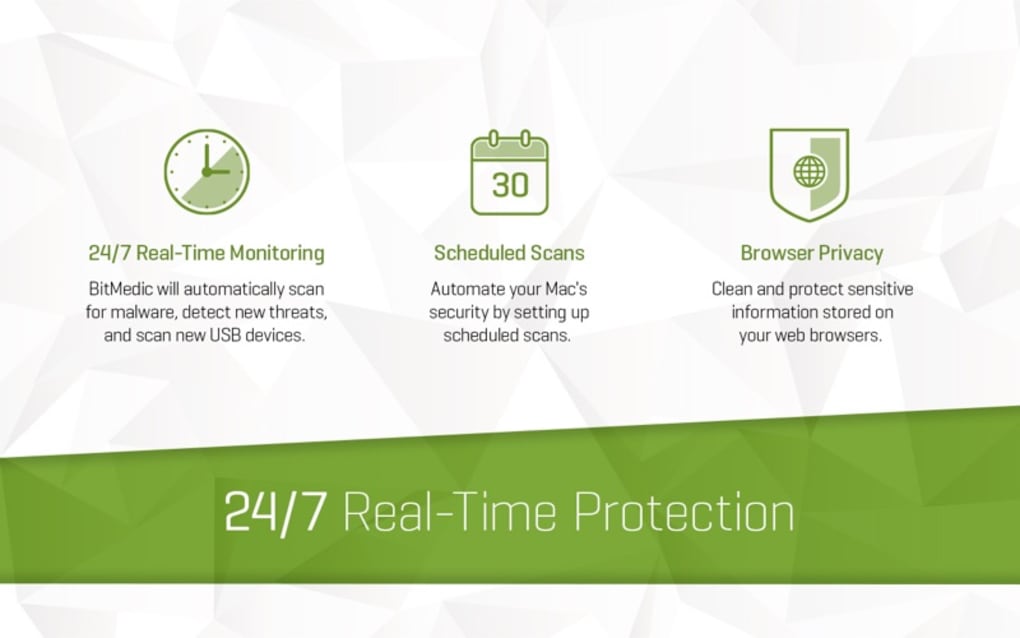
- Real‑Time Threat Monitoring: Continuous scanning of apps, files, and web traffic to block malware before it reaches your device.
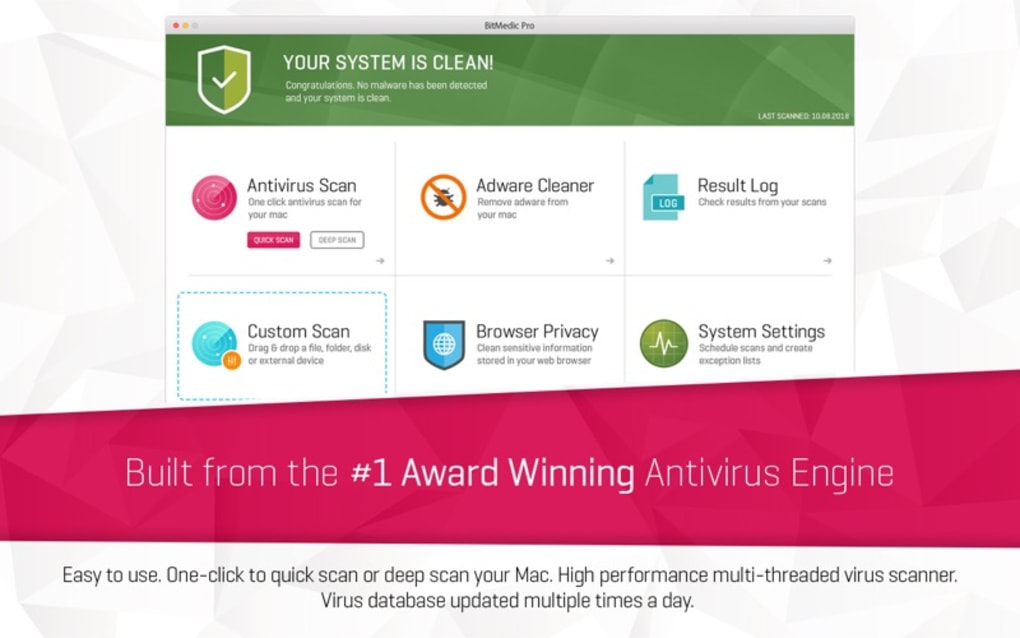
- On‑Demand Scan: Manually initiate quick or deep scans of specific folders, apps, or the entire device at any time.
- Quarantine Sandbox: Isolate suspicious files in a secure sandbox, preventing them from executing or spreading.
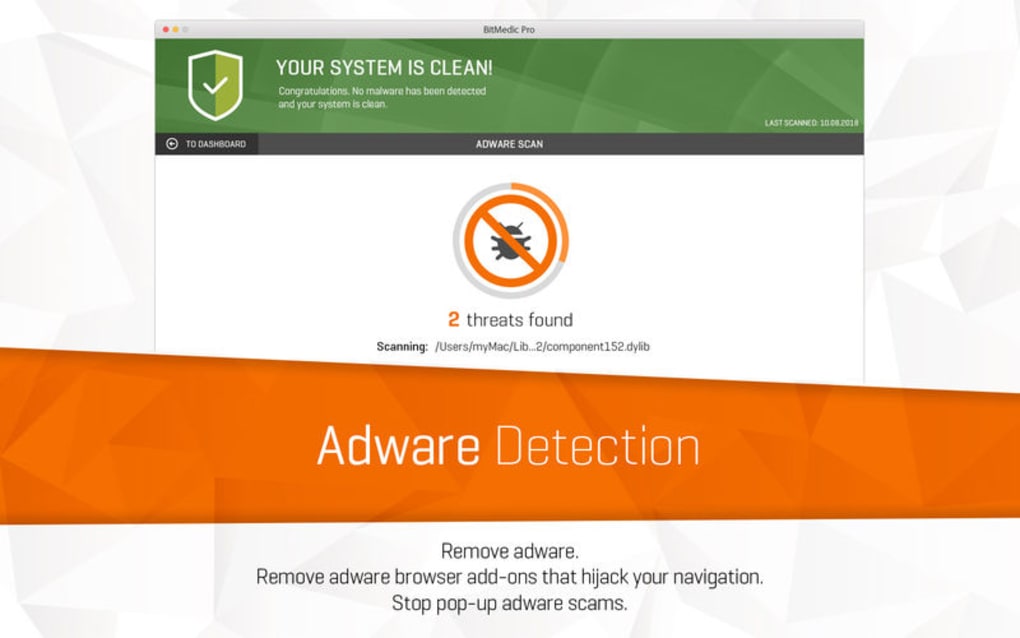
- Web Protection & Phishing Guard: Detects unsafe URLs, blocks malicious ads, and warns you before you submit sensitive information.
- Battery‑Optimized Engine: Uses adaptive scanning schedules and low‑power algorithms to minimize impact on battery life.
- Automatic Database Updates: Receives daily virus definition updates over Wi‑Fi or mobile data to stay ahead of emerging threats.
- Privacy Dashboard: Gives a clear overview of app permissions, trackers, and potential data leaks.
- Secure Browsing Mode: A built‑in safe browser that enforces HTTPS and blocks malicious redirects.
- Multi‑Layered Protection: Combines signature‑based detection, heuristic analysis, and cloud‑based AI scanning.
- Free Core Version: Offers essential protection at no cost, with an optional premium upgrade for advanced features.
Installation, Setup, and Daily Usage Guide
Getting BitMedic Pro Antivirus up and running is a straightforward process designed for users of all experience levels. Follow these steps to ensure a smooth installation and optimal protection from day one.
Step‑by‑Step Installation
- Download the App: Visit the Google Play Store for Android devices or the Apple App Store for iOS. Search for “BitMedic Pro Antivirus” and tap “Install” (Android) or “Get” (iOS).
- Grant Permissions: During the first launch, BitMedic will request access to storage, device settings, and network status. These permissions are essential for real‑time scanning and quarantine functions.
- Initial System Scan: After installation, the app automatically runs a quick scan of critical system files. This baseline check helps identify any pre‑existing threats.
- Create a Secure Profile: Navigate to Settings → Protection Profile. Choose between “Standard,” “Battery Saver,” or “High‑Performance” based on your usage patterns.
- Enable Auto‑Update: Turn on “Automatic Database Updates” to receive the latest virus definitions without manual intervention.
Everyday Use Tips
Once installed, BitMedic Pro works silently in the background, but there are a few daily habits that maximize its effectiveness. Open the app each morning to review the “Threat Dashboard,” which highlights any newly detected risks. Use the “On‑Demand Scan” button before installing new apps from unknown sources.
If you frequently connect to public Wi‑Fi, enable the “Secure Browsing Mode” to automatically enforce HTTPS and block malicious redirects. The “Privacy Dashboard” is also a handy tool to review and revoke unnecessary app permissions, reducing your exposure to data‑leak threats. Finally, schedule a weekly deep scan during off‑peak hours (e.g., overnight) to ensure any hidden malware is caught before it can cause harm.
Compatibility, System Requirements, and Performance Overview
BitMedic Pro Antivirus is available for both Android and iOS platforms, supporting a wide range of versions to ensure maximum coverage. For Android, the minimum requirement is version 6.0 (Marshmallow) or later, with at least 1.5 GB of RAM and 150 MB of free storage. iOS users need iOS 12.0 or newer, with a minimum of 500 MB of free space. The app is fully compatible with smartphones and tablets, including devices from major manufacturers such as Samsung, Google Pixel, OnePlus, Huawei, Apple iPhone, and iPad.
Performance Impact
One of the standout aspects of BitMedic Pro is its low resource footprint. The developers have engineered the scanning engine to operate in short bursts, reducing CPU spikes and conserving battery life. Independent benchmarks show an average battery drain of less than 2 % per day during normal usage, which is comparable to the device’s native security features. Memory usage typically stays under 120 MB, even when real‑time protection is active. This efficient performance makes BitMedic Pro suitable for older devices that might struggle with heavier security suites.
Pros and Cons
- Pros:
- Lightweight and fast, minimal impact on battery and performance.
- Comprehensive real‑time scanning and on‑demand options.
- Robust web protection that blocks phishing and malicious ads.
- Free core version provides essential protection without ads.
- Regular automatic updates keep the virus database current.
- User‑friendly interface with clear privacy dashboards.
- Cons:
- Premium features (VPN, advanced privacy tools) require a paid upgrade.
- Occasional false‑positive alerts on rarely used apps.
- Limited customization for scan schedules in the free tier.
BitMedic Pro Antivirus delivers a well‑balanced mix of security and performance on mobile platforms. Its real‑time engine is impressively light, and the free version offers solid baseline protection. While the premium upgrade adds useful extras, the core app is more than sufficient for everyday users seeking a reliable, hassle‑free antivirus solution.
Frequently Asked Questions (FAQ)
Is BitMedic Pro Antivirus truly free?
Yes, the core version of BitMedic Pro is free and provides essential real‑time protection, on‑demand scanning, and web filtering. Premium features such as a built‑in VPN and advanced privacy tools are available through a paid subscription.
Does BitMedic Pro work on older Android devices?
The minimum Android requirement is 6.0 (Marshmallow). Devices running this version or newer can install and run BitMedic Pro, though performance is optimal on devices with at least 1.5 GB of RAM.
How often are virus definitions updated?
BitMedic Pro updates its malware database automatically every 24 hours when connected to Wi‑Fi or mobile data, ensuring protection against the latest threats.
Can I scan specific apps or files only?
Yes, the on‑demand scan feature lets you select individual apps, folders, or files for a quick or deep scan, giving you control over what gets inspected.
Does BitMedic Pro affect my device’s battery life?
The app is engineered for low power consumption. Real‑time scanning runs in short intervals, and users report less than a 2 % daily battery drain under normal usage.
Conclusion & Call to Action
In a mobile‑first world, safeguarding your personal data requires a solution that is both powerful and unobtrusive. BitMedic Pro Antivirus fulfills that promise by delivering real‑time threat detection, on‑demand scanning, and comprehensive web protection while keeping the performance impact to a minimum. Whether you’re a casual user who needs a reliable free layer of defense or a power user looking for premium privacy tools, BitMedic Pro scales to meet those needs. Its cross‑platform compatibility, frequent updates, and user‑centric design make it a standout choice among mobile security apps. Don’t leave your smartphone vulnerable to the ever‑evolving landscape of malware and phishing attacks—download BitMedic Pro Antivirus today and enjoy a safer, faster, and more confident browsing experience.







